
GE Smart Shades Controlling Shades with the Remote Control
| Document Date: | December 2025 |
Setting Shade Limits
Shades are preset to open to 76in. Adjust the shade length to fit your window opening by using the included remote.
IMPORTANT NOTES:
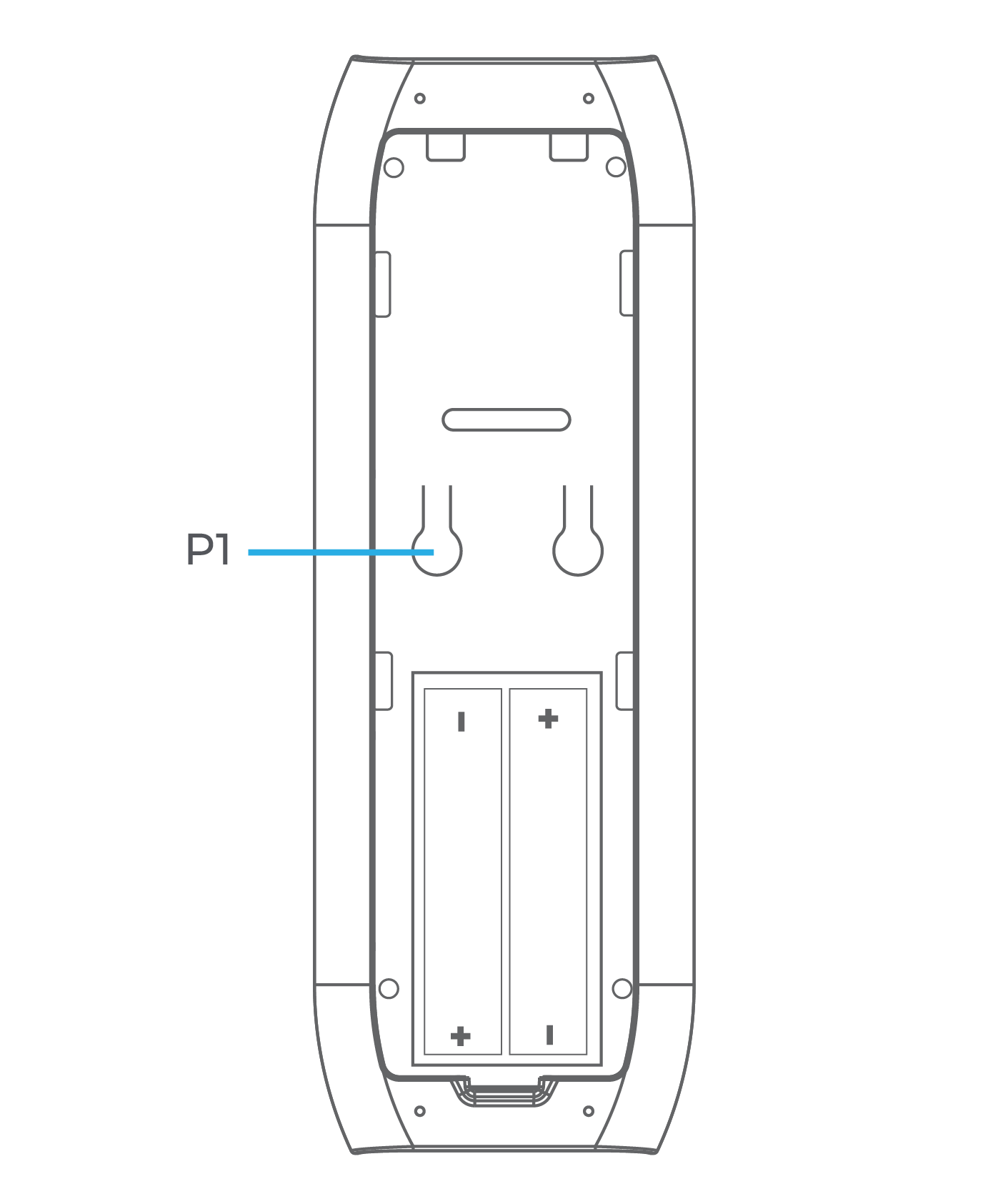
Your remote is pre-paired with your Smart Shade.Remove the plastic tab inside the battery door before using.When adjusting shade limits the Smart Shade will jog as part of the normal operation. Do not proceed to the next step in the procedure until each jog is complete.
Adjust Lower Limit
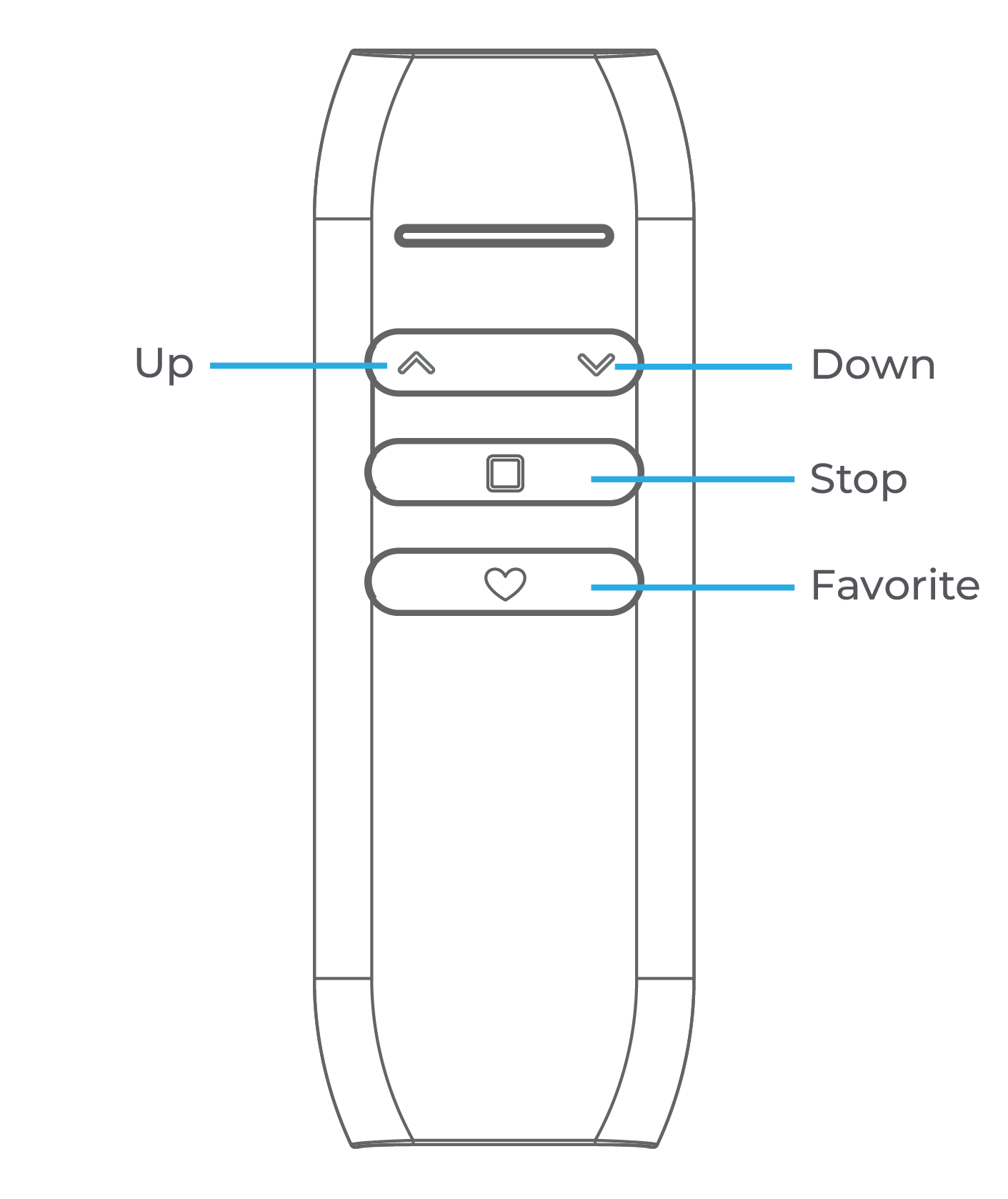
 Press and hold Down Button + Favorite Button for 6 seconds. Shade will jog to confirm limit adjust mode.
 Lower or raise shade to desired position using Down and Up Buttons.
- Press and hold Down Button + Favorite Button for 2 seconds. Shade will jog twice to confirm new limits.
Adjust Upper Limit
 Press and hold Up Button + Favorite Button for 6 seconds. Shade will jog to confirm limit adjust mode.
- Lower or raise shade to desired position using Down and Up Buttons.
- Press and hold Up Button + Favorite Button for 2 seconds. Shade will jog twice to confirm new limits.
Control Multiple Shades with a Single Remote
- Press P1 on the back of the original remote. Shade will jog.
- Press P1 on the back of the original remote. Shade will jog again.
 Press and hold stop on the new remote. Shade will jog twice to confirm.
Set or Cancel Favorite Shade Position
- Lower or raise shade to desired position using Down and Up Buttons.
 Press and hold Stop Button + Favorite Button for 2 seconds.
- Press either Down and Up Button. Favorite is set.
- To cancel favorite setting, press & hold Stop Button + Favorite Button for 2 seconds.